
Feeling overwhelmed by smart lighting options? Zigbee might be the answer.
Zigbee lighting uses low-power wireless tech to create smart, efficient, and flexible lighting systems.
Looking for smart lighting that’s stable, scalable, and doesn’t rely on Wi-Fi? Keep reading.
What is the advantage of Zigbee?
Tired of Wi-Fi drops messing with your lights? Zigbee skips that drama.
Zigbee lights form their own network, use less energy, and avoid Wi-Fi congestion.
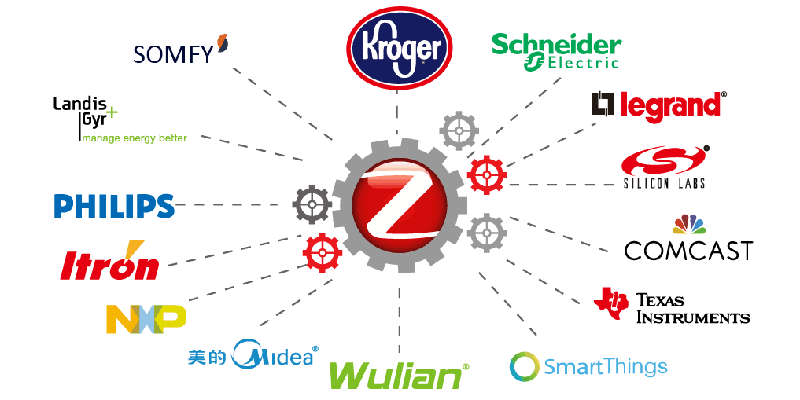
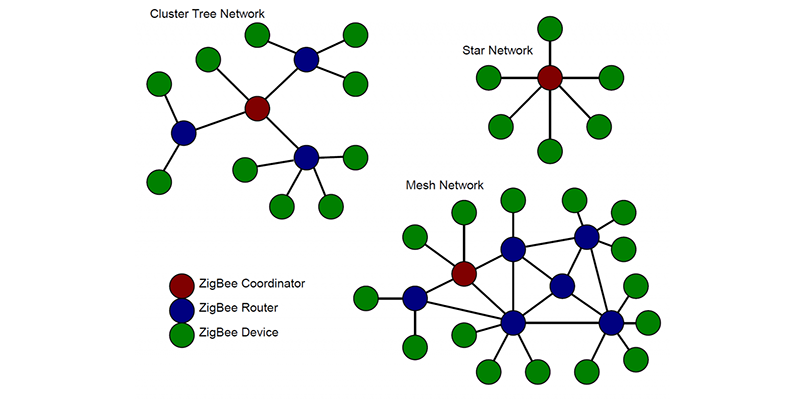
Zigbee is all about creating a stable mesh network
When I first tested Zigbee lights in my project, I noticed something different: no lag, no buffering, and no signal drop even when my Wi-Fi was overloaded. That’s because Zigbee doesn’t rely on traditional internet connections. It builds a mesh network, where each device talks to the next, spreading signals efficiently across long distances.
Why does a mesh network matter?
A mesh network means reliability. If one device fails, the signal reroutes through other devices. This ensures your lights still work and react fast.
- Self-healing1: Devices automatically reroute the signal
- Low latency2: Commands reach devices faster
- Scalability3: Easily add more devices without weakening performance
Ideal for energy-conscious and large-scale projects
Compared to Wi-Fi, Zigbee uses far less power. This is a big deal when you’re running hundreds of devices. I’ve seen clients save energy costs over time without sacrificing performance.
| Feature | Zigbee | Wi-Fi | Bluetooth |
|---|---|---|---|
| Power consumption | Very low | High | Medium |
| Network range | Extended via mesh | Limited to router | Short |
| Device limit | Hundreds | 10-30 devices | Very limited |
| Dependency on Wi-Fi | No | Yes | No |
| Reliability | High | Medium | Low |
What is Zigbee and how does it work?
Confused about how your smart bulbs talk to each other? Zigbee clears that up.
Zigbee connects devices using radio waves in a mesh network, not Wi-Fi.
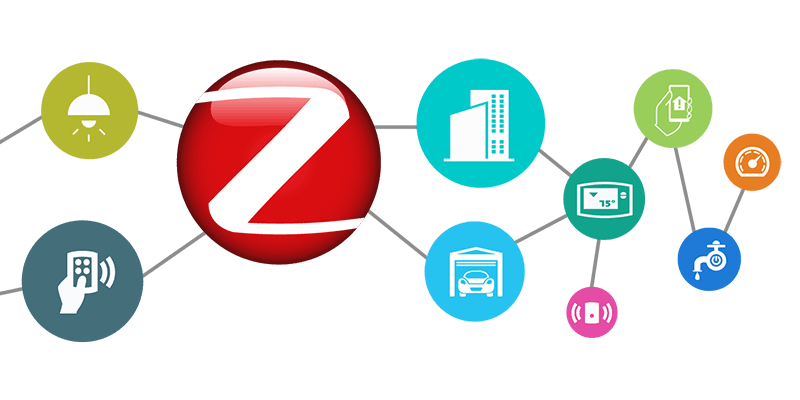
Zigbee works like a conversation that never gets interrupted
Zigbee is a wireless protocol designed for low-power, short-range communication. Each Zigbee device connects to others around it, forming a web. That network doesn’t break if one part fails. This self-healing feature is what makes Zigbee great for complex or large installations.
How Zigbee devices communicate
- 2.4GHz band: Similar to Wi-Fi but doesn’t interfere
- Short bursts of data: Uses small data packets, fast and efficient
- Device roles: Coordinator manages the network, routers extend it, end devices receive commands
How I use Zigbee in lighting projects
In hotel or commercial projects, I often use Zigbee because the layout changes frequently. With Wi-Fi lights, each new device adds strain. Zigbee grows naturally. We just plug in a new device, and it becomes part of the mesh.
Technical architecture of Zigbee
| Component | Function |
|---|---|
| Coordinator | The brain of the network (usually a hub) |
| Router | Extends the network and relays signals |
| End Device | The bulb, sensor, or switch being controlled |
This design allows lights to work even when the router is far away or blocked. In one multi-floor office project, the coordinator was on the ground floor but lights on the third floor still responded instantly.
Do Zigbee devices need internet?
Worried about losing internet and control of your lights? No need with Zigbee.
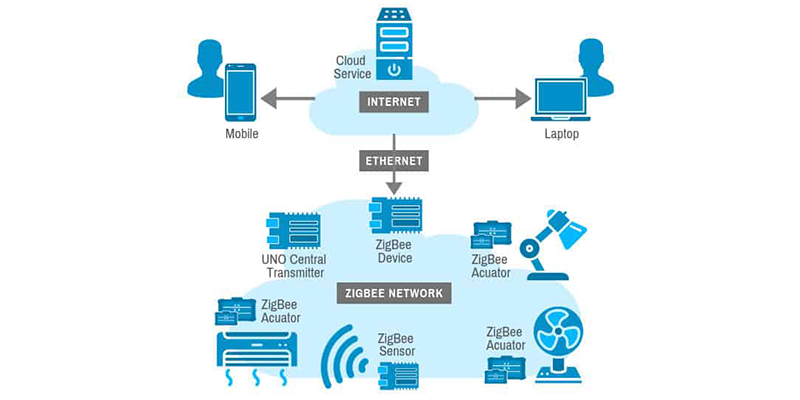
Zigbee works locally and only needs the internet for remote control.
Zigbee functions even if your internet goes down
This is a huge advantage. If your Wi-Fi fails, most smart devices stop working. Zigbee4 lights don’t. They connect to a hub that manages the network locally.
In one real case, a client’s internet dropped during a retail event. The lights still worked perfectly. Customers never noticed anything.
When does Zigbee use the internet?
- Only for cloud functions5: Like voice commands or app access from outside
- All local control6 is offline: Physical switches and automation routines continue
| Action | Internet Needed? |
|---|---|
| Local switch control | No |
| Time-based scenes | No |
| Remote access via app | Yes |
| Voice control (Alexa/Siri) | Yes |
Local control = less risk, more confidence
If your setup is for retail, hospitality, or office space, this is key. You don’t want customer experience to depend on an internet signal. Zigbee offers that peace of mind.
What do I need to set up Zigbee?
Not sure where to start with Zigbee? The setup is simpler than it seems.
To start with Zigbee, you need a hub, Zigbee-compatible lights, and a control app.
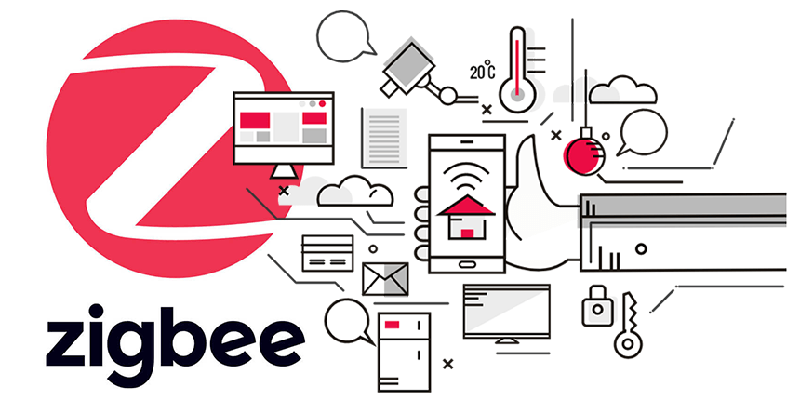
Your Zigbee starter kit
Getting started doesn’t require technical knowledge. I’ve helped clients with no IT background set up full systems.
- Step 1: Install a Zigbee hub or gateway
- Step 2: Connect compatible lights or devices
- Step 3: Use a mobile app or smart home system to control
Compatible platforms
Zigbee plays well with many ecosystems, including:
- Amazon Echo (with built-in Zigbee hub)
- Philips Hue
- Samsung SmartThings
- Apple HomeKit (with Matter compatibility)
Setup essentials
| Item | Description |
|---|---|
| Zigbee Hub/Gateway | Central brain that links all devices |
| Zigbee Devices | Smart bulbs, switches, sensors |
| Mobile App or Dashboard | For control and configuration |
| Optional: Voice Assistant | Alexa, Siri, Google |
This modular setup allows businesses to scale. For example, one client started with 20 Zigbee bulbs in a café. After testing reliability, they expanded across five locations with zero changes to infrastructure.
What is the difference between Zigbee and Wi-Fi lights?
Not sure whether to go Zigbee or Wi-Fi? Here’s how they compare.
Zigbee uses less energy, creates a mesh network, and avoids congesting your Wi-Fi.
Different technology, different outcomes
Wi-Fi lights are simple to set up and great for home users. But for commercial use, they often fall short. Every bulb needs an IP address and competes with other devices for bandwidth.
Zigbee, on the other hand, creates its own lane. It doesn’t slow down your internet. This separation leads to smoother performance in large spaces.
Detailed comparison
| Feature | Zigbee Lights | Wi-Fi Lights |
|---|---|---|
| Network type | Mesh | Point-to-point |
| Internet dependency | Minimal | High |
| Scalability | High | Limited |
| Power consumption | Low | High |
| Setup complexity | Medium | Low |
| Cost of entry | Slightly higher | Lower |
When to use Zigbee over Wi-Fi
- Scenarios with many lights (retail stores, hotels, offices)
- Projects requiring reliable automation
- Installations where Wi-Fi cannot be guaranteed
My rule of thumb for clients
If you’re planning to use more than 15-20 lights, always go Zigbee. It’ll cost slightly more upfront, but the long-term stability, energy savings, and network performance make it worth every cent.
Conclusion
Zigbee lighting builds smarter, more stable networks without relying on Wi-Fi. Perfect for scalable and professional lighting setups.
Understanding self-healing in mesh networks can enhance your knowledge of network reliability and performance. ↩
Exploring low latency in mesh networks can help you appreciate the speed and efficiency of your devices. ↩
Learning about scalability in mesh networks can guide you in expanding your network without compromising performance. ↩
Understanding Zigbee can enhance your smart home setup, especially its offline capabilities during internet outages. ↩
Learning about cloud functions will clarify how smart devices utilize the internet for advanced features while maintaining local operations. ↩
Exploring local control can help you appreciate how smart devices function independently of the internet, ensuring reliability. ↩