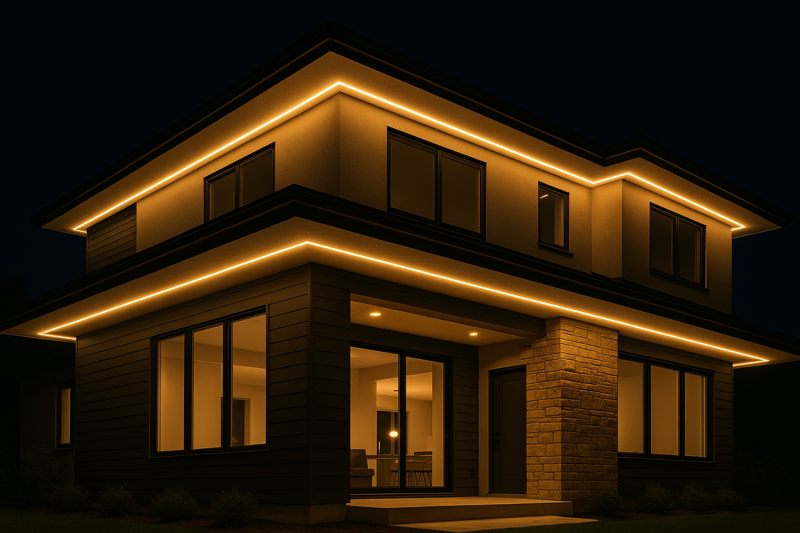
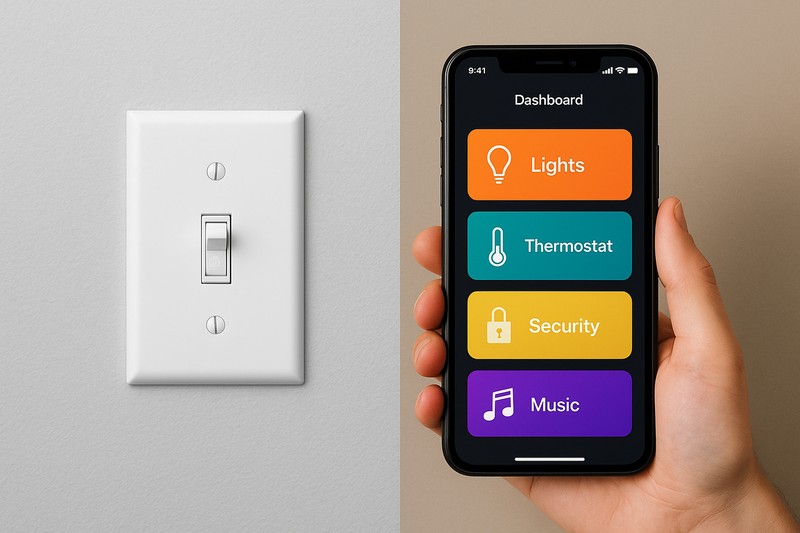
Your client has a beautifully lit landscape, but they’re still stuck using a basic on/off switch or an old, confusing timer dial. Their indoor lights are smart, but their outdoor space feels disconnected and unintelligent.
By pairing your high-quality outdoor LED strips with a compatible smart controller, you can seamlessly connect them to major smart home ecosystems like Google Home, Amazon Alexa, or Apple HomeKit. This unlocks control via app, voice, and intelligent automation.
As a manufacturer providing lighting solutions, I see this as the next big step for contractors and designers. It’s no longer enough to just install beautiful lights. You must add intelligence. Integrating outdoor lighting into a smart home isn’t just a cool feature; it’s a fundamental upgrade to a client’s lifestyle, security, and enjoyment of their property.
Why Should You Make Your Outdoor Lighting ‘Smart’?
Your client’s new outdoor lighting looks great, but its "dumb" controls are a major missed opportunity. It requires manual operation, offers no flexibility, and can’t adapt to changing needs, making it feel outdated from day one.
Smart lighting transforms a static installation into a dynamic system that offers unmatched convenience, enhanced security, and powerful creative control. It adds significant value to a property by making the lighting work for the homeowner.
The real selling point for a professional like Tom isn’t just the "wow" factor of changing colors with your voice. It’s about solving real problems. It’s about the peace of mind that comes from automated security lighting, or the convenience of turning everything off from your bed. This is where you elevate your service from just installing lights to designing an intelligent outdoor environment.
The Tangible Benefits of Going Smart
Moving beyond a simple switch unlocks three powerful advantages for your clients.
1. Unmatched Convenience
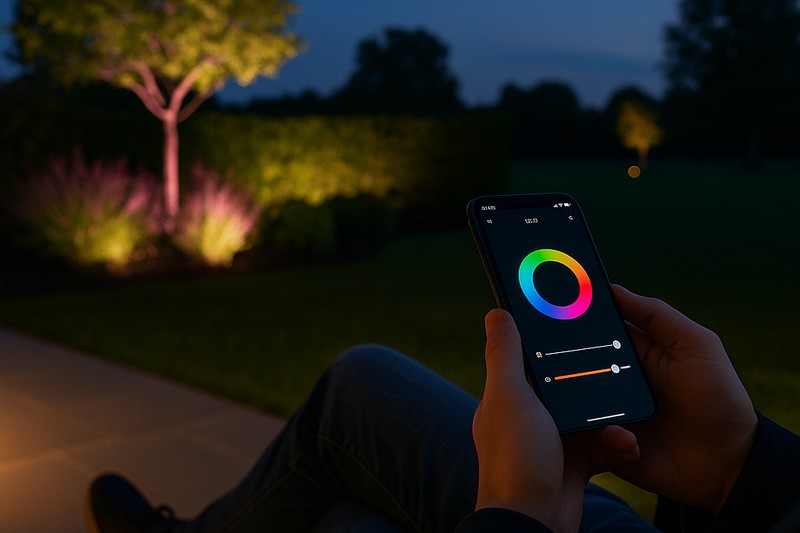
This is the most immediate benefit. Instead of flipping switches, the user can control everything with their voice ("Hey Google, turn the patio lights blue") or from an app on their phone, from anywhere in the world. They can create and save custom "scenes"—like "Party Mode," "Relax Evening," or "Security"—that set multiple lights to specific colors and brightness levels with a single tap.
2. Enhanced Security
Smart lighting is a powerful security tool. You can schedule lights to turn on and off randomly when the family is on vacation, creating a convincing "lived-in" appearance. More importantly, you can integrate the lights with other smart devices. For example, if a security camera detects motion on the driveway, it can instantly trigger the path lights to turn on to full brightness, deterring potential intruders.
3. Energy Efficiency1 and Savings
A smart system ensures lights are only on when they are needed. Instead of a timer that runs regardless of the weather, you can set lights to turn on automatically at sunset and turn off at sunrise, adjusting every day. Geofencing can automatically turn lights off when everyone has left the property, eliminating wasted energy. Dimming the lights for ambiance also significantly reduces power consumption.
| Feature | Standard Switch/Timer | Smart Lighting System2 |
|---|---|---|
| Control | Manual, On-Site Only | App, Voice, Anywhere |
| Security | None / Predictable Timer | Automation, Motion-Triggered |
| Ambiance | On or Off | Scenes, Dimming, Color Control |
What Components Do You Need to Make LED Strips Smart?
The world of smart home tech can seem confusing, with different brands and protocols like Zigbee, Z-Wave, and Wi-Fi. It’s hard to know what pieces you need to buy to make everything work together seamlessly.
To make your outdoor LED strips smart, you need three core components: 1) the outdoor-rated LED strips themselves, 2) a compatible smart LED controller/driver, and 3) a connection to your smart home ecosystem (either directly via Wi-Fi or through a hub).
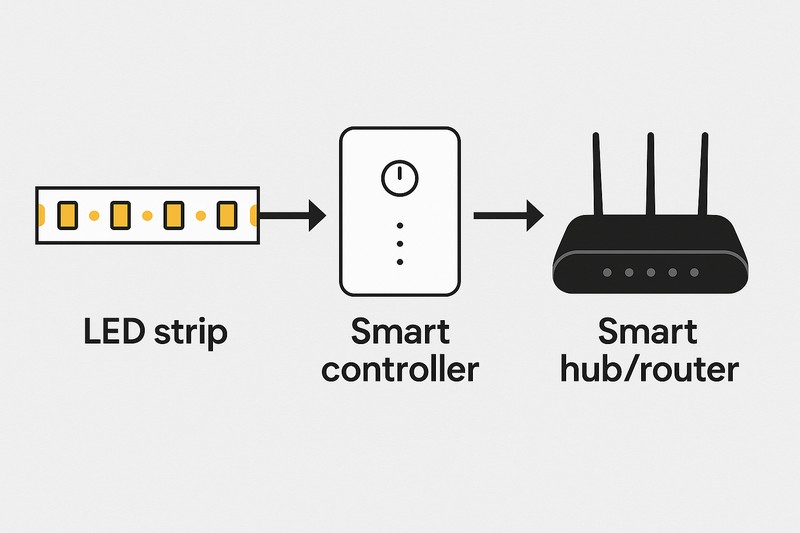
For my business, providing the right smart controller is just as important as providing the high-quality LED strip. The controller is the brain. It’s the bridge between the physical light and the digital command. Choosing the right one is the key to a reliable and responsive system.
The Three Pillars of a Smart System
Let’s break down each component and its role.
1. The Lights: Outdoor-Rated LED Strips
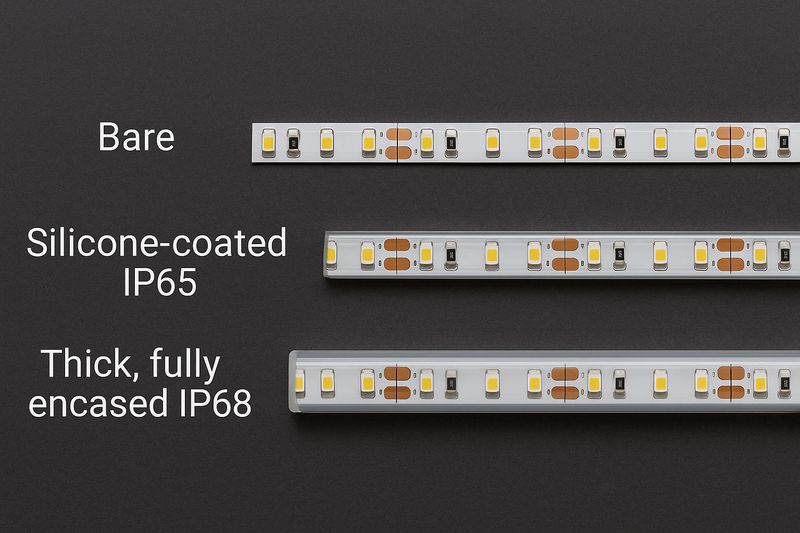
This is your foundation. You must start with high-quality, IP67 or IP68 waterproof and UV-resistant LED strips. No amount of smart control can fix a light that has failed due to water damage or sun degradation. Make sure the strips are low-voltage (12V or 24V) for safety.
2. The Brain: The Smart Controller
This small box sits between the power supply and the LED strip. It receives wireless signals (Wi-Fi, Zigbee, etc.) and translates them into commands that change the strip’s color and brightness.
- Wi-Fi Controllers: These connect directly to the home’s Wi-Fi network. They are simple to set up but can add congestion to a busy network.
- Zigbee/Z-Wave Controllers: These use a low-power mesh network separate from Wi-Fi. They are extremely reliable and fast but require a compatible smart hub (like an Amazon Echo with a built-in hub, Samsung SmartThings, or Hubitat) to connect to the internet.
3. The Ecosystem: Hub and App
This is how the user interacts with the system. For a Wi-Fi controller3, the ecosystem is simply the brand’s app and its integration with Google/Alexa. For Zigbee/Z-Wave4, the hub is the central device that manages all your smart products, allowing them to work together and connect to the app on your phone.
| Protocol | Hub Required? | Reliability | Typical Use Case |
|---|---|---|---|
| Wi-Fi | No (Connects to Router) | Good | Simple setups with a few devices near the house. |
| Zigbee | Yes | Excellent | Larger, more robust systems with many devices. |
How Can You Automate Your Smart Outdoor Lighting?
Simply turning lights on and off with an app is just scratching the surface. The real power is in automation, where the lights react to schedules, events, and your location without you even touching your phone.
You can create powerful automations based on time (sunset/sunrise), sensor triggers (motion or door sensors), or your physical location (geofencing). This makes the lighting truly intelligent and responsive to your life.
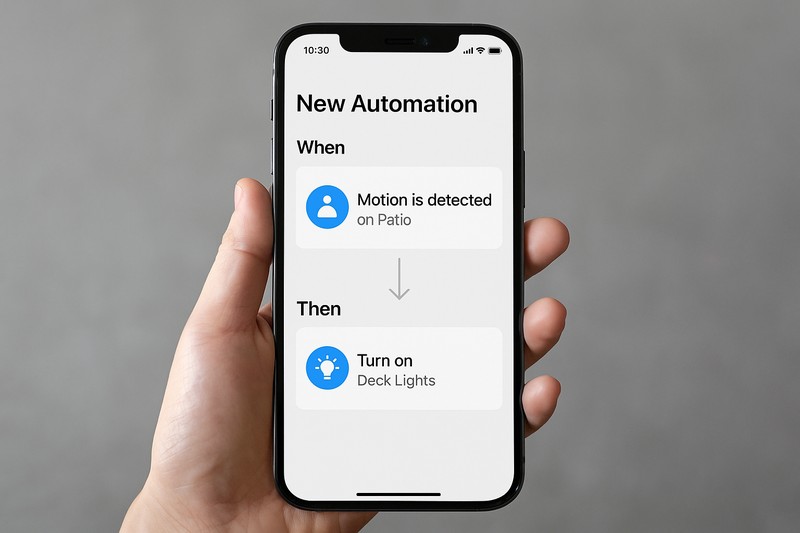
This is the feature that truly impresses clients. When the walkway lights turn on automatically as they pull into the driveway after dark, that’s magic. As a solutions provider, being able to design and implement these custom routines is what sets you apart.
Building Intelligent Routines
Automation turns a a set of smart devices into a smart home.
Time-Based Routines
This is the simplest yet most effective automation. Instead of a fixed time, you can use an "astronomical" clock.
- Example: "30 minutes before sunset, turn Landscape Lights on to 70% brightness and warm white."
- Example: "At 11:30 PM, dim Landscape Lights to 20% for subtle overnight security."
- Example: "At sunrise, turn all outdoor lights off."
This "set it and forget it" schedule adapts to the seasons automatically.Sensor-Based Routines
This is where you make your home react to the environment.
- Example (Security): "If the Driveway Camera detects a person between 11 PM and 5 AM, turn Driveway and Porch lights to 100% brightness and cool white."
- Example (Convenience): "When the patio door is opened after dark, turn on the Deck lights."
Location-Based Routines5 (Geofencing)
This uses your phone’s GPS to trigger actions.
- Example (Welcome Home): "When I arrive home and it is after sunset, turn on the Porch and Walkway lights."
- Example (Peace of Mind): "When the last person leaves home, ensure all outdoor lights are turned off."
| Automation Trigger6 | Example Routine | Primary Benefit |
|---|---|---|
| Time (Sunset) | Turn on landscape lights automatically. | Convenience |
| Sensor (Motion) | Turn lights on full when motion is detected. | Security |
| Location (Arrival) | Turn on walkway lights as you pull in the driveway. | Welcome |
What Are the Common Pitfalls When Choosing Smart Outdoor Lighting?
You’ve installed a system that promises seamless smart control, but the client complains that it’s unreliable. Lights drop connection, don’t respond to commands, or the different components won’t talk to each other, leading to frustration.
The most common failures stem from poor wireless signal outdoors, choosing incompatible products from different ecosystems, and using indoor-grade smart plugs or controllers that can’t withstand the elements.
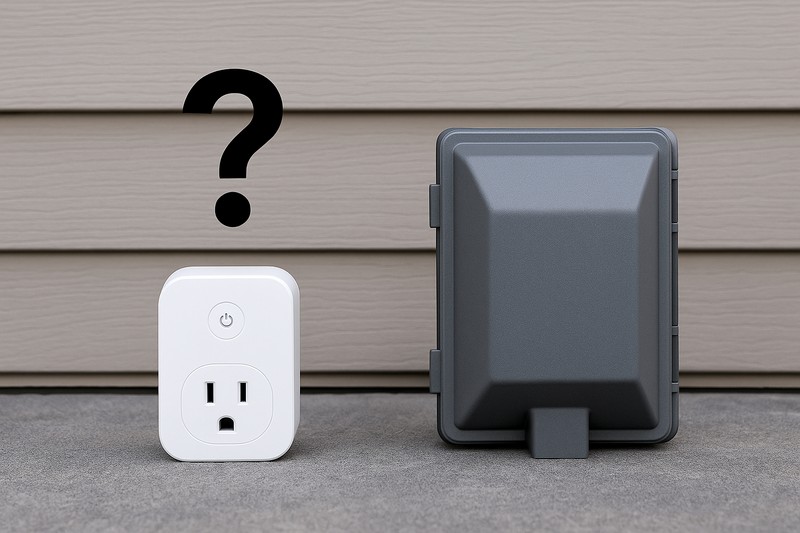
From my position as a manufacturer, I know that a system is only as strong as its weakest link. A high-end, waterproof LED strip is useless if the smart controller fails after the first rainstorm. Helping your clients avoid these pitfalls protects their investment and your reputation.
Ensuring a Rock-Solid System
Anticipating these problems is key to a successful project.
1. Poor Wireless Connectivity
A home’s Wi-Fi signal gets much weaker once it passes through exterior walls. A Wi-Fi-based smart controller placed far out in the garden may constantly disconnect.
- Solution: For larger properties, a Zigbee or Z-Wave mesh network is far more reliable. Each device acts as a repeater, extending the network’s range with every light you add. If you must use Wi-Fi, you may need to install an outdoor-rated Wi-Fi mesh node or access point.
2. System Incompatibility
It’s easy to accidentally buy a Wi-Fi controller, a Zigbee motion sensor, and a Z-Wave hub and expect them to work together. They won’t.
- Solution: Stick to a single protocol for your core devices (e.g., all Zigbee 3.0). Look for controllers and devices that are certified to work with your client’s chosen hub (SmartThings, Alexa, etc.). The new "Matter" standard aims to solve this, so look for that logo for future-proof compatibility.
3. Lack of Durability
Using an indoor-rated smart plug or controller in a non-weatherproof box is a recipe for failure. Moisture will inevitably get in and cause a short.
- Solution: Insist on using components designed for the outdoors. The smart controller and its power supply should be housed in a proper NEMA 3R or higher outdoor enclosure to protect them from rain, dust, and insects.
| Problem | Bad Approach | Professional Solution |
|---|---|---|
| Weak Outdoor Signal | Relying on indoor Wi-Fi. | Use a Zigbee mesh network7 or outdoor Wi-Fi access point. |
| Incompatible Devices | Mixing different brands and protocols. | Standardize on one protocol (like Zigbee 3.0) and a single hub. |
| Environmental Damage | Using indoor smart plugs outside. | Use outdoor-rated controllers8 in weatherproof enclosures. |
Conclusion
Integrating outdoor LED strips into a smart home moves them from simple lights to an intelligent system. It delivers real-world benefits in convenience, security, and ambiance, creating immense value for homeowners.
-
Exploring this link will provide insights into how energy efficiency can lead to significant savings and environmental benefits. ↩
-
This resource will help you understand the advantages of smart lighting systems in enhancing convenience and energy savings. ↩
-
Understanding Wi-Fi controllers can enhance your smart home setup, ensuring seamless connectivity. ↩
-
Exploring Zigbee and Z-Wave will help you choose the best smart home protocol for your needs. ↩
-
Explore this link to understand how geofencing can enhance your daily routines and improve convenience. ↩
-
Learn about various automation triggers to optimize your smart home setup and enhance security. ↩
-
Exploring Zigbee mesh networks can enhance your outdoor smart device connectivity and reliability. ↩
-
Understanding outdoor-rated controllers is crucial for ensuring the longevity and safety of your outdoor smart devices. ↩