Your client wants the "wow" factor of smart lighting control from their phone. You install a system, but the app is clunky, the connection keeps dropping, and it doesn’t work with their Alexa. Now, you’re getting calls about tech support, not lighting design.
The key is to match the control technology to the project’s needs. Use Bluetooth for simple, single-room setups. Use WiFi for remote access and voice assistant integration. Use professional protocols like Zigbee for large-scale, reliable whole-home systems.
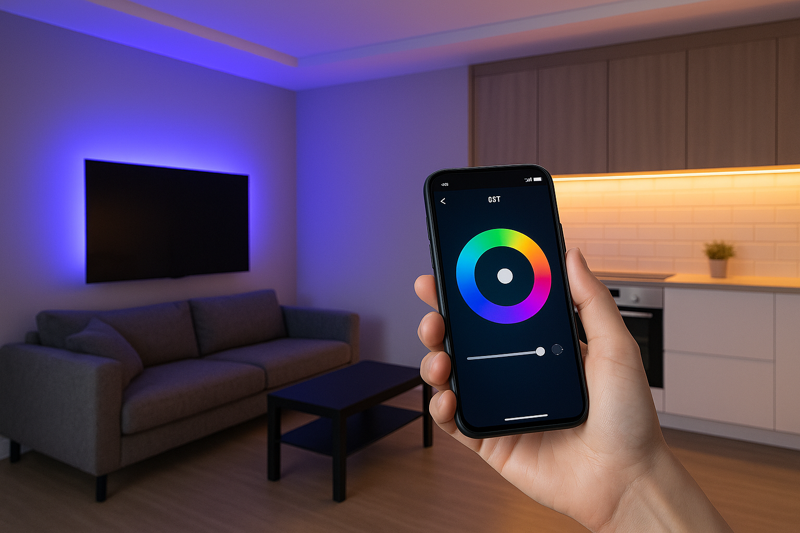
I was talking with an installer in Texas who had just finished a huge media room project. The client wanted color-changing lights that could be controlled from their phone. The installer, trying to save the client some money, used a cheap, all-in-one WiFi controller he found online. The problem was, the home’s WiFi router was on the other side of the house. The signal in the media room was weak and unreliable. The lights would constantly disconnect or respond slowly. The client, who had spent thousands on the room, was furious that his "smart" lights were so dumb. We had to replace the entire system with a more robust Zigbee setup that created its own reliable network. It taught me a valuable lesson: for smart controls, reliability is the most important feature. The tech should be invisible and just work, every single time.
Which is Better for Smart LED Strips: WiFi or Bluetooth?
Your client wants simple app control for the lights in their home office. You see options for WiFi and Bluetooth, and you’re not sure which to recommend. If you choose the wrong one, they might be frustrated by limited range or a complicated setup process.
Choose Bluetooth for its extremely simple setup and reliable control within a single room. Choose WiFi when your client needs to control the lights from anywhere in the world or wants to use voice assistants like Alexa or Google Home.
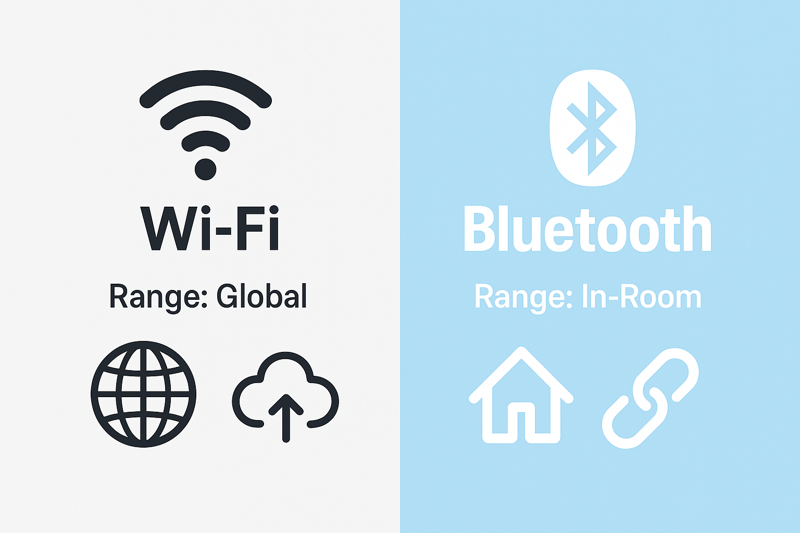
The simplest way I explain this to contractors is to ask: "Where will your client be when they want to control the lights?" If the answer is, "Always in the same room," then Bluetooth is often the best choice. It’s direct, phone-to-controller communication. It’s incredibly stable and doesn’t depend on a home’s potentially overloaded WiFi network. But the moment the client says, "I want to turn the lights on before I get home," or "I want to tell Alexa to set the mood," then you have to choose WiFi. A WiFi controller connects to the home’s internet router, which then allows it to be accessed from anywhere and integrated with other smart home platforms. One isn’t inherently "better" than the other; they are simply tools for different jobs.
A Head-to-Head Comparison: WiFi vs. Bluetooth
Let’s break down the practical differences from an installer’s perspective. Understanding these trade-offs will help you guide your client to the perfect solution for their lifestyle.
The Case for Bluetooth
Bluetooth has evolved significantly. Modern systems use Bluetooth Mesh1, which means each controller can talk to its neighboring controllers. This extends the range beyond a single room and makes the whole system more robust.
- Simplicity is Key: The setup is foolproof. Open the app, it finds the controller, you pair it, and you’re done. There are no passwords to enter or network settings to configure. This is a huge plus for clients who are not tech-savvy.
- Rock-Solid Reliability2: Because it doesn’t rely on the home’s WiFi network, it’s not affected by internet outages or the router being too far away. The connection is direct and very stable.
- Limitations: The primary limitation is the lack of out-of-home control. You cannot check if the lights were left on after you’ve left for vacation. Voice assistant integration is also less common or requires a separate bridge device.
The Power of WiFi
WiFi controllers leverage the home’s existing internet infrastructure to unlock a world of advanced features.
- Control From Anywhere3: As long as your phone has an internet connection, you can control your lights. This "peace of mind" feature is a major selling point for many clients.
- Voice Assistant Heaven4: WiFi is the native language of smart speakers. Integration with Amazon Alexa, Google Assistant, and Apple HomeKit is often seamless, allowing for commands like, "Alexa, set the kitchen lights to 50%."
- Potential Pitfalls: Its biggest strength is also its biggest weakness. It is 100% dependent on the quality and strength of the client’s home WiFi network. If the router is old, cheap, or too far from the lighting controller, the experience will be laggy and frustrating.
| Feature | Bluetooth (Mesh) | WiFi |
|---|---|---|
| Setup | Extremely Easy (No Password) | Easy (Requires WiFi Password) |
| Control Range | Inside the home | Anywhere with Internet |
| Reliability | Excellent (Independent of WiFi) | Depends on WiFi Network Quality |
| Voice Assistants | Limited (Often requires a bridge) | Excellent (Direct Integration) |
| Best For | Single-room projects, simplicity, reliability | Whole-home control, remote access, voice commands |
What About Professional Systems like Zigbee or Z-Wave?
You’re working on a large, high-end home with smart lighting planned for a dozen different rooms. Using individual WiFi controllers for each room seems inefficient and could overload the home’s network. Your client demands a system that is flawless and fast, every time.
For large, complex, or mission-critical projects, professional protocols like Zigbee and Z-Wave are the superior choice. They create their own dedicated, low-power mesh network for lighting, which is far more reliable and scalable than relying on a home’s busy WiFi network.
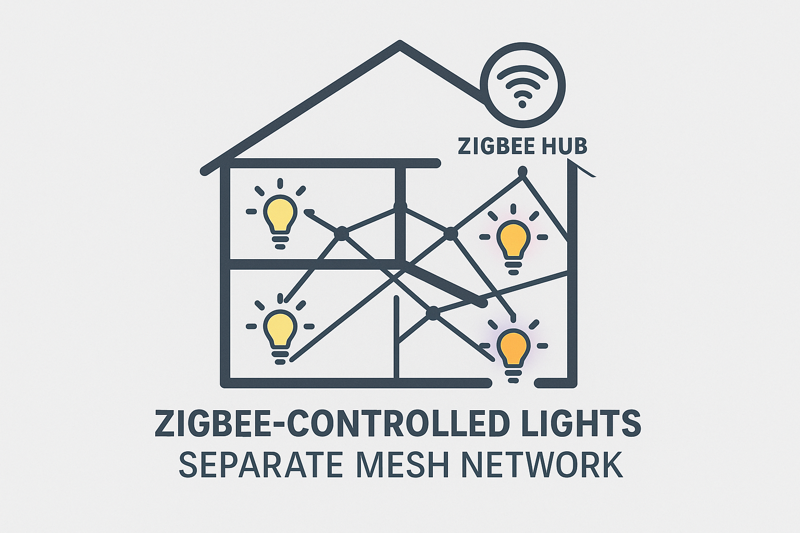
This is the technology used in high-end, professional home automation systems like Control4 and Savant, and for good reason. Think of your home’s WiFi network as a busy highway. You have phones, laptops, TVs, and security cameras all competing for bandwidth. Adding 20 lighting controllers to that highway can create a major traffic jam. Zigbee and Z-Wave build a completely separate, private road just for your smart devices. Each device acts as a repeater, strengthening and extending the network. The result is a system that is incredibly fast, reliable, and can support hundreds of devices without slowing down. It requires a central "hub" or "gateway" to connect to the internet for app and voice control, but the core device-to-device communication is independent and bulletproof. For a contractor like Tom, proposing a Zigbee-based system for a large project shows a level of expertise that justifies a premium price.
Moving Beyond DIY: The Professional Choice
When you step up to Zigbee or Z-Wave, you are moving from consumer-grade gadgets to professional automation hardware. While they are very similar, Zigbee is generally more common in the lighting control world.
The Zigbee Advantage
- Dedicated Mesh Network5: This is the most important feature. Each Zigbee light controller you install acts as a signal repeater for all the others. This creates a powerful, self-healing network. If one device fails, the signal simply finds another route. This makes the system incredibly robust, especially in large homes with thick walls where WiFi struggles.
- Scalability6: You can add dozens, or even hundreds, of Zigbee devices to a single network without any performance degradation. This is impossible with WiFi.
- Standardization (3.0)7: Modern Zigbee 3.0 is a universal standard. This means a Zigbee controller from Rhlite can work seamlessly with a Philips Hue bridge or an Amazon Echo Plus, which has a Zigbee hub built-in. This gives your clients immense flexibility.
- Installation Note: The key difference in installation is the need for a hub. This device connects to the client’s internet router with a network cable and acts as the brain of the system, translating commands from the app to the Zigbee network.
When to Specify a Professional System
It’s your job to guide the client. Here’s when to strongly recommend moving past simple WiFi controllers:
- More than 10 controlled zones: If you have many different areas that need independent control, a mesh network is better than loading up the WiFi.
- Large Homes or Difficult Construction: In homes over 3,000 sq ft or those with concrete walls, a mesh network is essential for reliable communication.
- Integration with Other Systems8: If the client already has or wants a professional home automation system (like Control4, Crestron, etc.), Zigbee or Z-Wave are often the required protocols.
- When Reliability is Non-Negotiable: For a primary residence or a high-end commercial space, the lighting control needs to be as reliable as a light switch. That’s what Zigbee delivers.
Which App and Ecosystem Should You Choose?
The hardware is only half the battle. You could install the best controller in the world, but if the app is poorly designed, confusing, or unreliable, your client will hate the system. You need to provide a complete, user-friendly solution.
Choose a system that is based on a major, well-supported app ecosystem like Tuya Smart Life or a major brand like Philips Hue. These platforms ensure a stable, frequently updated app and wide compatibility with other smart devices and voice assistants.
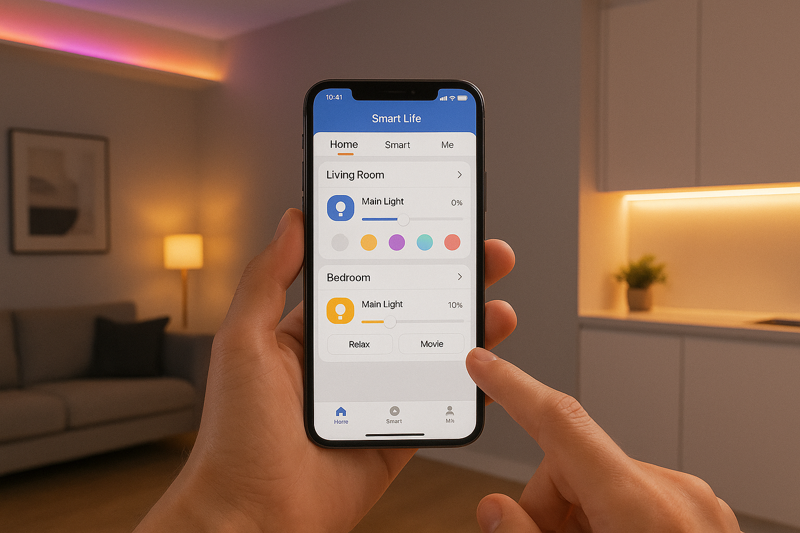
Years ago, many hardware factories tried to develop their own proprietary apps. It was a disaster. They were buggy, were never updated, and had security flaws. As a factory, we at Rhlite learned to focus on what we do best: manufacturing high-quality lighting hardware. For the "smart" part, we partner with world-class software platforms. Tuya is one of the largest smart-home platforms in the world. By making our controllers compatible with their "Smart Life" app, we give our clients a solution that is backed by a huge team of software engineers. The app is stable, supports millions of devices, and is guaranteed to work with the latest smart home trends. Recommending a system built on a major platform like Tuya gives your client confidence and saves you from the nightmare of becoming tech support for a no-name app.
Evaluating the User Experience
The client doesn’t care about the protocol; they care about the experience. Here are the key factors that define a good smart lighting ecosystem.
- Is it intuitive? A good app should be easy for a non-technical person to understand. Core functions like on/off, dimming, and color changing should be obvious.
- Is it fast and responsive? When you tap a button, the lights should react instantly. Lag is a sign of a poor-quality system.
Scene Creation and Automation:
- Can you save presets? The app must allow users to easily create and save "scenes" like "Movie Night" (lights dim to 10% and turn blue) or "Cooking" (under-cabinet lights to 100% white).
- Can you create schedules? The ability to schedule lights to turn on at sunset or fade on in the morning is a powerful feature.
- Can you link to other triggers? Advanced automation allows for things like, "If my smart smoke detector goes off, turn all the house lights to 100%."
- Voice Assistants: Does it have certified "Works with Alexa" or "Hey Google" compatibility? This is a must-have for many clients.
- IFTTT (If This Then That): This service allows you to connect your lights to thousands of other apps and services, creating powerful automations like, "If my team scores, flash my team’s colors."
By recommending a solution built on a mature platform, you are delivering a feature-rich and future-proof system that will grow with your client’s needs.
Conclusion
Choosing the right smart lighting controls elevates your projects from simple installations to integrated lifestyle experiences. By understanding the core strengths of Bluetooth, WiFi, and Zigbee, you can confidently guide your clients, manage their expectations, and deliver a smart lighting system that is powerful, reliable, and a joy to use.
Explore this link to understand how Bluetooth Mesh enhances connectivity and reliability in smart home systems. ↩
Find out why reliability is crucial in smart home technology and how Bluetooth and WiFi stack up against each other. ↩
Discover the benefits of remote control in smart homes and how it provides peace of mind for users. ↩
Learn how WiFi’s compatibility with voice assistants can simplify home automation and enhance user experience. ↩
Understanding this feature is crucial for creating a robust home automation system. ↩
Learn how Zigbee’s scalability can enhance your home automation experience without performance loss. ↩
Explore how Zigbee 3.0 ensures compatibility across devices, providing flexibility in automation. ↩
Discover the benefits of integrating Zigbee with existing home automation systems for seamless control. ↩
Explore this link to understand the essential elements of an intuitive app interface that enhances user experience. ↩
Discover how integrating with voice assistants and IFTTT can elevate your smart lighting experience. ↩